
mailbox enables audit-proof email archiving with Mail Archive

You can now archive your incoming and outgoing emails in mailbox Business in an audit-proof and GoBD-compliant manner. You can activate and manage the new Mail Archive in the equally new Admin Console, which is now available to you as a Business customer.

mailbox Mail Archive E-Mail-Archivierung

Mail Archive: GoBD-compliant email archiving

The vast majority of business correspondence is conducted via email. Invoices, order confirmations and contracts are therefore often only available in digital form, but are subject to the same retention requirements as paper documents under GoBD.

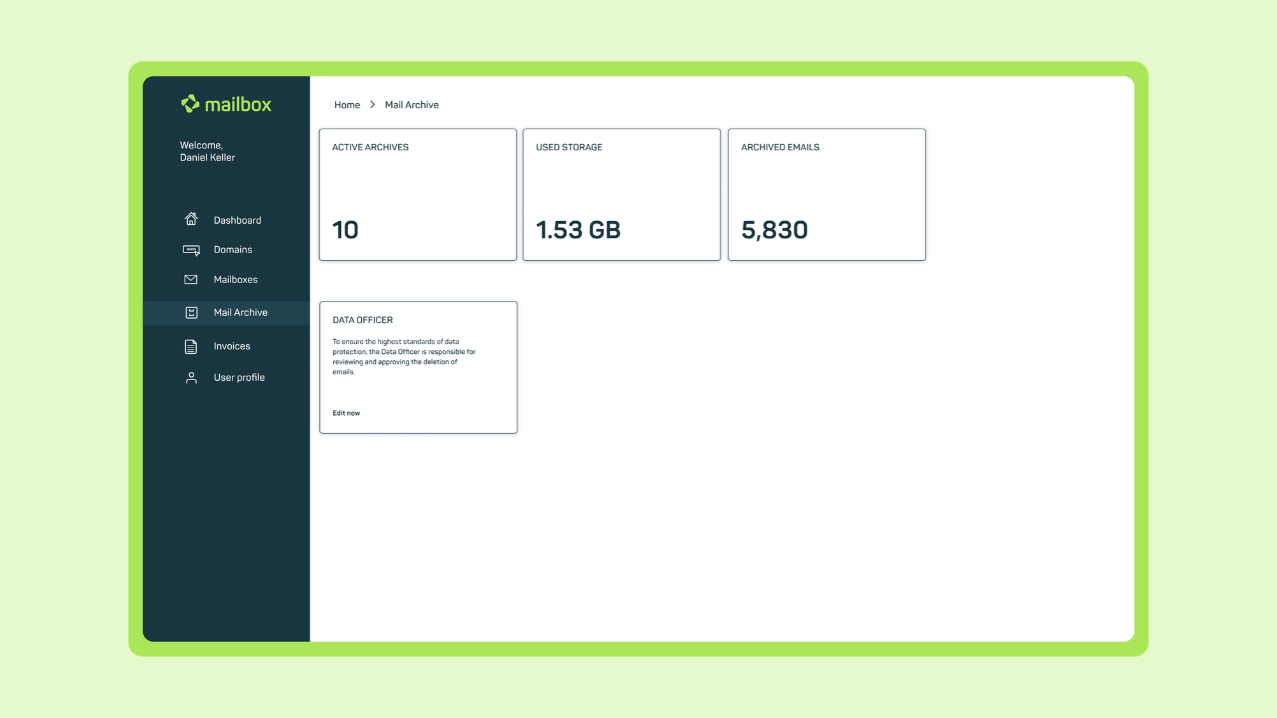
Mail Archive is our new feature for legally compliant email archiving. All archived emails are stored in full, in an unalterable and traceable manner, and in compliance with GoBD. This ensures you meet the requirements for retaining tax-relevant documents. With mailbox’s Mail Archive, you can store your emails securely and face any audit with confidence.
mailbox Mail Archive

Mail Archive offers the following features

  1. Automatic archiving: All newly sent and received emails in a mailbox are automatically moved to the archive and remain there, where they cannot be altered.
  2. Email import: Existing sent and received emails in a mailbox can be archived retrospectively once Mail Archive has been activated. 
  3. Email export: You can retrieve archived emails and return them to the active mailbox as required. 
  4. Roles: You can assign separate permissions for different roles (User, Data Officer and Auditor). 
  5. Legally compliant deletion process for archived emails: A user can request the deletion of individual emails, stating a reason, from the Data Officer, who must approve the request. This allows messages that do not fall under the GoBD requirements, such as spam, to be removed. Every deletion is logged in the audit log.
  6. Archiving beyond the lifespan of a mailbox:  If employees leave the company and their mailbox is no longer required, the archive is retained and can be transferred to another account.

Why businesses and public authorities need GoBD-compliant email archiving

What is the GoBD?

The GoBD are the ‘Principles for the proper maintenance and retention of books, records and documents in electronic form, and for data access’. They are published by the Federal Ministry of Finance in Germany. They set out how businesses must retain tax-relevant documents digitally.

For which companies and public authorities is the GoBD relevant?

In principle, this applies to all companies, self-employed individuals and public authorities in Germany that are required to keep accounts or maintain records for tax purposes. This also applies to small businesses as soon as their business emails contain tax-relevant content, such as invoices, order confirmations or contracts. For very small businesses, compliance with the requirements is also assessed in light of the size of the business.

What are the GoBD requirements for email archiving?

Emails relevant for tax purposes must be retained in full, in an unalterable form and in a way that allows them to be traced at any time. As a general rule, a document must be retained in the format in which it was created or received. Simply moving an email to a folder or printing it out (or its attachment) and filing it away does not therefore satisfy the requirements of the GoBD.

Retention periods depend on the type of document:

  • Depending on the sector, accounting documents such as invoices must be retained for eight or ten years.
  • Business correspondence is generally retained for six years.
  • Annual accounts, trading ledgers and inventories must be retained for ten years.

As the specific retention requirements vary depending on the type of company, sector and nature of the documents, we recommend that you clarify the regulations applicable to you with your tax adviser or legal counsel.

How to enable Mail Archive

As a mailbox Business customer, you can set up email archiving in three steps:

  1. Open the new Admin Console (see below).
  2. Open the ‘Mail Archive’ menu item and click on ‘Initialise’.
  3. Open the ‘Mailboxes’ menu, select the required mailbox and click on ‘Activate archive’.

There is a monthly charge of €1.00 per activated email archive, plus €0.50 per GB of storage or part thereof (plus VAT).

Find out more about the Mail Archive in our Knowledge Base: https://kb.mailbox.org/en/business/mail-archive

If you have any further questions or need assistance, our team will be happy to help.
mailbox Admin Console

The new Admin Console

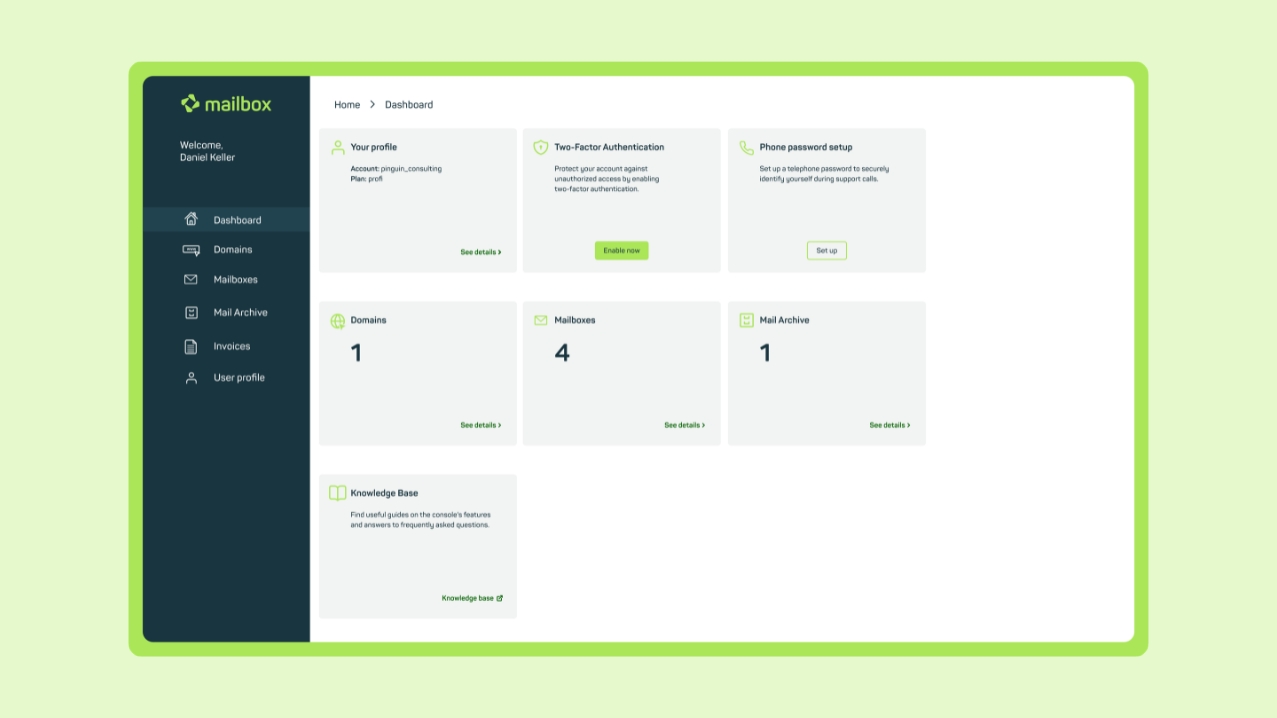
The new Admin Console is the central management interface for mailbox Business, where you, as an administrator, can create and manage mailboxes and the Mail Archive. The Admin Console replaces the previous management interface for mailbox Business. The new design provides a clearer overview and intuitive operation. This saves you valuable time in your day-to-day work.

You can access the new Admin Console at: https://console.mailbox.org

Find out more about the Admin Console in our Knowledge Base

You’re not using mailbox Business yet?

Team celebrates joint success

More news

EVAC Button

EVAC is now available as a self-service option: set up emergency communications easily yourself

Read more about EVAC is now available as a self-service option: set up emergency communications easily yourself
mailbox News Ankündigung

PHP security vulnerabilities ‘PHP2Shell’: mailbox is secure

Read more about PHP security vulnerabilities ‘PHP2Shell’: mailbox is secure
mailbox News Deutscher Fairness-Preis 2026_Foto Thomas Ecke_DISQ_ntv

mailbox receives the German Fairness-Award 2026

Read more about mailbox receives the German Fairness-Award 2026